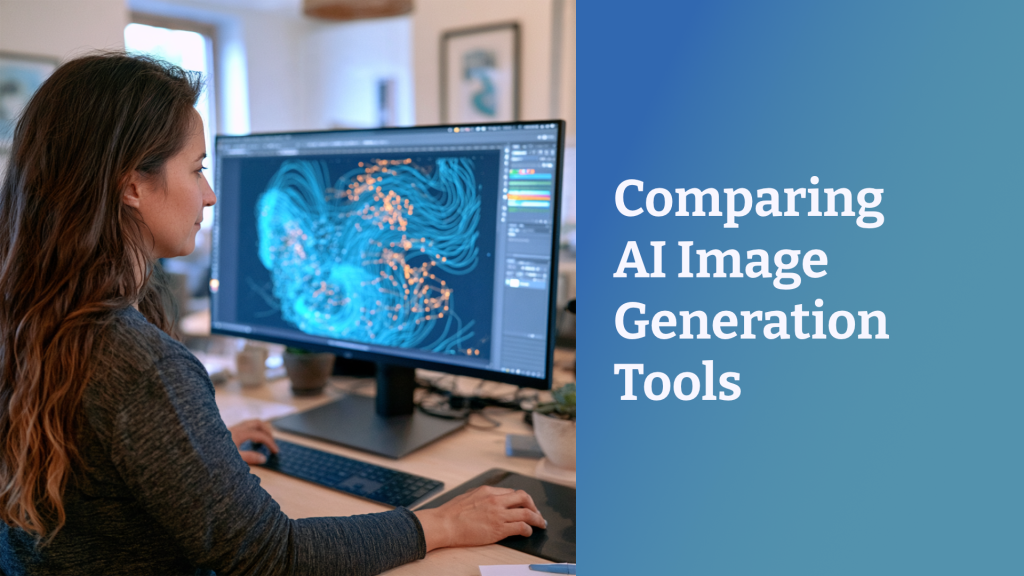
So many AI image generation tools are out there, and the landscape is changing regularly. I spend a lot of time experimenting with AI image tools, and even I have a hard time keeping up with all the announcements and updates. All of the tools have strengths and weaknesses, which means different tools are better for different purposes. In fact, most of the top AI media creators I follow use a combination of tools, switching back and forth at different points in their workflow. They might start with Midjourney for initial creation, switch to Nano Banana for iterating different character poses, change camera angles in Qwen, and finally upscale with Topaz. In this post, I’ll compare the strengths of multiple AI image generation tools and note when you might use them.
I published my original version of this post almost a year ago, and so much has changed since then! This is my update as of October 2026, with notes focused on how AI image generation tools work for L&D tasks.

What to pay for: The quick answers
I currently pay for both Flora and Midjourney. Flora gives me a wide range of image models and tools, and Midjourney gives me more interesting artistic styles for my blog headers.
One tool
If you’re going to pay for one tool specifically for image creation, I recommend you subscribe to one of the all-in-one multimodal tools like Flora or Magnific. These give you access to multiple frontier models plus additional tools to make professional work easier.
Two tools
If you can pay for two tools, add Midjourney or another specialized tool depending on your needs (Recraft, Brushless, Napkin, etc.) Which specialized tool is best depends on your specific needs.
Cost comparison
This comparison includes the lowest paid plan, which is generally enough for L&D work.
| Tool | Monthly | Yearly |
|---|---|---|
| Flora | $18 | $172.80 ($14.40/month) |
| Midjourney | $10 | $96 ($8/month) |
| Magnific Premium | $20 | $144 ($14.50/month) |
| Gemini (Nano Banana) | $20 | $240 ($20/month) |
| ChatGPT (GPT Image) | $20 | $240 ($20/month) |
| Brushless | $10/55 generations | |
| Recraft | $12 | $120 ($10/month) |
| Napkin | $12 | $108 ($9/month) |
| Ideogram | $20 | $180 ($15/month) |
All of these tools except for Midjourney have a free trial. I recommend that you pay for one month and try a tool with your own projects before committing to a longer subscription.
Flora: Connect multiple tools for better workflows
If you do regular professional work generating images and videos, an all-in-one canvas tool like Flora provides a much better interface and workflow than working with a chat interface. Flora connects multiple tools into a single workflow, so you can switch between Nano Banana, GPT Image, or whatever image model you need. Unlike other tools, their pricing for each generation is completely transparent; I can see how much each image or video I generate will cost in actual dollars, not just tokens or credits.
With a node-based tool, you can combine multiple reference images and prompts and then generate and iterate multiple outputs. It’s also easier in this type of tool to do multiple types of transformations such as editing images, removing backgrounds, or adding text as a separate layer. You can easily switch modalities at different points in your workflow, so you can generate images with one tool and then switch to generating audio or video with other tools all in the same canvas or project.
Rather than generating each image one at a time, you can batch generate multiple images at once or use techniques to save a series of actions to repeat later. I used a list of poses to generate sets of character variations from a single reference image, all in a single step. Features like batch nodes and repeatable techniques can speed up your workflow.

Flora is the tool I use most often for generating images and videos for training. If you’re only going to pay for one image generation tool, I recommend a tool that gives you access to all the major models and additional features like Flora or Magnific. These give you the flexibility to use different image models plus all of the other features for professional work at scale.
Midjourney: Most interesting and artistic, style consistency
Midjourney is the tool I use most often for my blog header images. It’s the image generation tool that I find most interesting; it’s easier to generate images that don’t look like typical AI or stock images. You can create images in consistent styles and colors from any starting image, and you can use and generate style codes to expand your options.
Both the overall aesthetic of Midjourney and the infinite range of styles possible are reasons I see many top AI image experts start with Midjourney, even if they then move to other tools in their workflow. I generally have the highest success with Midjourney for generating visual metaphors and symbolic images to support learning. Midjourney is the best at artistic images, which means it’s a great choice for illustrations.
Midjourney handles photorealistic characters reasonably well, including generating multiple poses and expressions from the same starting character image. It’s not as good at consistency as Nano Banana, ChatGPT, or some other tools. I find that skin textures become less realistic over subsequent generations though. Midjourney’s editing tools like inpainting are useful.
Midjourney is better at generating text than it was a year ago, but still not effective enough to rely on it. For my blog headers, I just add the text in Affinity Designer so I can maintain consistency.
Gemini (Nano Banana): Best free tool, character consistency
Of the free tools for AI image generation, Gemini is probably the best overall option. It’s capable of generating and editing images and creating multiple poses of photorealistic characters. It’s easy to make the edits by describing them in plain language. You may run into limits or experience slower generation on a free plan.
Gemini is the tool; Nano Banana is the general name for the image models in the Gemini LLM and available through other tools. Although I work within Flora for the interface, I use Nano Banana image models most often for photorealistic images.
Nano Banana is good at generating consistent icon sets; you can prompt for a grid of icons in a single prompt and get results with high accuracy. It’s not as good at illustration styles as Midjourney; the styles tend to look more similar and more recognizable as AI.
Basically, Gemini’s image generator does all the things that ChatGPT’s image generation can do, but it does them all a little better. It doesn’t look as obviously AI, and it tends to be more accurate in following prompts both for initial generation and edits. I find that it still looks like stock images if you don’t prompt well. While the text accuracy is good, the fonts sometimes look out of place, especially on edits.
ChatGPT: Improving, but still clearly AI
ChatGPT’s latest image models, GPT Image 2.5 Flare and Sunburst, were released in September 2026. These models are both significant improvements from the early models. They’re more accurate in following prompts and editing parts of an image without changing the rest. You can generate both photorealistic and illustrated images.
One of the challenges of ChatGPT for images is that it’s such a common tool that’s it’s very recognizable. Especially for images with text, the default style is instantly detectable as ChatGPT from the paint slash with white text on it on the “whiskers” emphasizing text. A lot of what people perceive as “AI slop” posters is generated quickly with ChatGPT.
It’s possible with better prompting to get better results that don’t look so distinctively like ChatGPT, but it’s more work. I still generally prefer Nano Banana to either of the GPT Image models, but it’s much closer now.
Magnific: Multiple tools in a combined workflow
Magnific (formerly Freepik) is similar to Flora. It offers you a choice of multiple tools on a visual canvas where you can easily see your work and switch tools as needed. They’re regularly adding new features for creative professionals such as a brand kit to save your colors and other brand details.
I tried both Magnific and Flora, and they’re both great options. Personally, I find Flora’s canvas to be a little smoother to move around; it’s easier to switch between panning on the canvas and adding nodes. But if you’re interested in this kind of tool, it’s probably worth trying each one for a month. Depending on your specific workflow or how you collaborate with others, Magnific might be the better option.
Recraft: Brand consistency, text accuracy, icons, and vector images
Recraft is a tool that should definitely be on your list to try if you need consistency in branding or need to generate vector images. Many image generators create images that look like vectors but aren’t actually SVGs; Recraft generates true vector images so it’s easier to scale and edit them elsewhere. They have a tool for generating icons that lets you generate up to six icons at a time, all with a consistent style and color palette. Their text accuracy is also much higher than other tools.
I don’t think their photorealistic images are as good as Nano Banana or Midjourney, but it’s a solid choice for illustrated images. You can use the built-in styles or create your own. It even has options to share styles within teams, which makes it a better option for organizations with multiple designers.
Brushless: Vector images and icons with consistent styles and colors
Brushless is another great option for vector images and icons. They have several illustration styles that are ready to go. I think their built-in flat icon style works well for training purposes, especially when you need to generate specialized icons for presentations or highlighting important concepts. The line art style is good for simple illustrations where you don’t want to distract learners with overly complex images (and AI images can be overly complex and distracting). You can set your color palette to match your branding and use reference images to create your own custom styles.
Napkin: Images and visual organizers to explain concepts
Napkin works differently than a lot of the other AI image generation tools out there. Instead of prompting for images, you paste your text such as bullet points or a paragraph of explanation. Napkin interprets that text to make an image to explain it. The result is something like PowerPoint’s SmartArt but better. You get icons for main points and diagrams to show connections and structure illustrating your concepts.
Ideogram: Image editing
Ideogram was one of the first AI tools to figure out how to render text accurately. Ideogram generates some interesting illustrations, so sometimes I use it to compare how it does with the same prompt as other tools. Ideogram has image editing tools that can be useful to refine and extend images, even from other sources. Ideogram’s most recent update focuses on editing just a portion of an image without regenerating the entire image. Most AI tools drift over the course of successive edits because they regenerate everything. If you need a background to stay the same while you edit a central object or character, Ideogram is worth trying. Their lowest paid plan also include unlimited slow credits, which means you can keep generating without limits (just not very quickly).
Hands-On AI Image Workshop: Registration Closes Tuesday 10/13

Want to learn how to generate higher quality AI images—visuals that are good enough to actually use in a course? Part of the trick with AI image generation is that even if you start with a good prompt, you still may need to iterate a few times to refine it. Even though I’ve presented on AI images multiple times, it’s impossible for me to give participants enough time to really practice that iteration process in a one-hour webinar.
That’s why I built a new three-hour hands-on AI image workshop. You get six rounds of live practice. After each round, we review your results so we can figure out how to improve them. I’ll give you a reusable prompt framework as a starting point, and then we’ll work on iterating and improving images, using reference images for consistency, and matching brand colors. This is geared for L&D professionals, so I focus on the kinds of images commonly used in training like photorealistic examples and icons. You’ll leave with a small set of images for a real project of your choice, ready to use in a course.
Registration closes Tuesday, October 13 at midnight EDT.
These are my opinions
None of this is sponsored; it’s all based on my own experiences. In a few cases, I have gotten some extra free credits with specific tools in order to test them or in exchange for providing feedback on the tools. I have paid subscriptions to Flora and Midjourney, and I get access to a number of other image generation tools through my subscription to Poe.
Your experiences may be different. Like all AI tools, the image generators are sometimes unpredictable in what they can do effectively and where they fail. You may find that different tools work better for your specific needs.
For all of these tools, check the terms of use. Most explicitly allow commercial use of images on paid plans, but not necessarily on free plans. Some tools will make your generated images public, especially on a free plan. Some will train their AI on your images, including uploaded reference images.
More tools?
Obviously, I didn’t cover every AI image generation tool currently available in this post; this is based on what I’ve personally tried.
- Same Prompt, Different AI Image Models
- Consistent Character Images Step by Step using Flora and Nano Banana
- Updating Scenario Character Images with Flora
- Speed Up Character Image Creation with Flora
- AI Images with Consistent Style in Midjourney
- Testing Freepik Spaces for Character Image Generation (It was Freepik when I tested it, but Magnific now.)
- Nano Banana (Gemini) Character Image Experiments
- Frustrations with ChatGPT Image Generation
- How to Generate Icon Sets with AI using Midjourney, Nano Banana, ChatGPT, and Brushless
Originally published 11/4/25. Updated 4/28/26, 10/12/26.
Upcoming events
From First Try to Finished: Hands-On AI Image Workshop. October 14. Register for my hands-on workshop.
Creative Solutions with Twine: Design, Streamline, and Refine Branching Scenarios. October 14. ATD Dallas Learning Technology SIG
Learning Architecture: From Content to Context. October 21. Learning Planet Institute.
DevLearn

Register for DevLearn by October 2 for the Advanced Rate. Save an extra $100 with code CHRISTY.
Branch Smarter, Not Harder: Naming Conventions, Variables, and Bottlenecks in Storyline
- November 3, 2026 at 9:20 AM
- CE01: Storyline & Rise Pro Lab
Cohesive by Design: Generate Consistent AI Icons, Illustrations & Characters
- November 4, 2026 at 10:00 AM
- BYOD (Bring Your Own Device)
Buzz Discussion: Video & Media
- November 4, 2026 at 3:45 PM
The post Comparing AI Image Generation Tools appeared first on Experiencing Elearning.